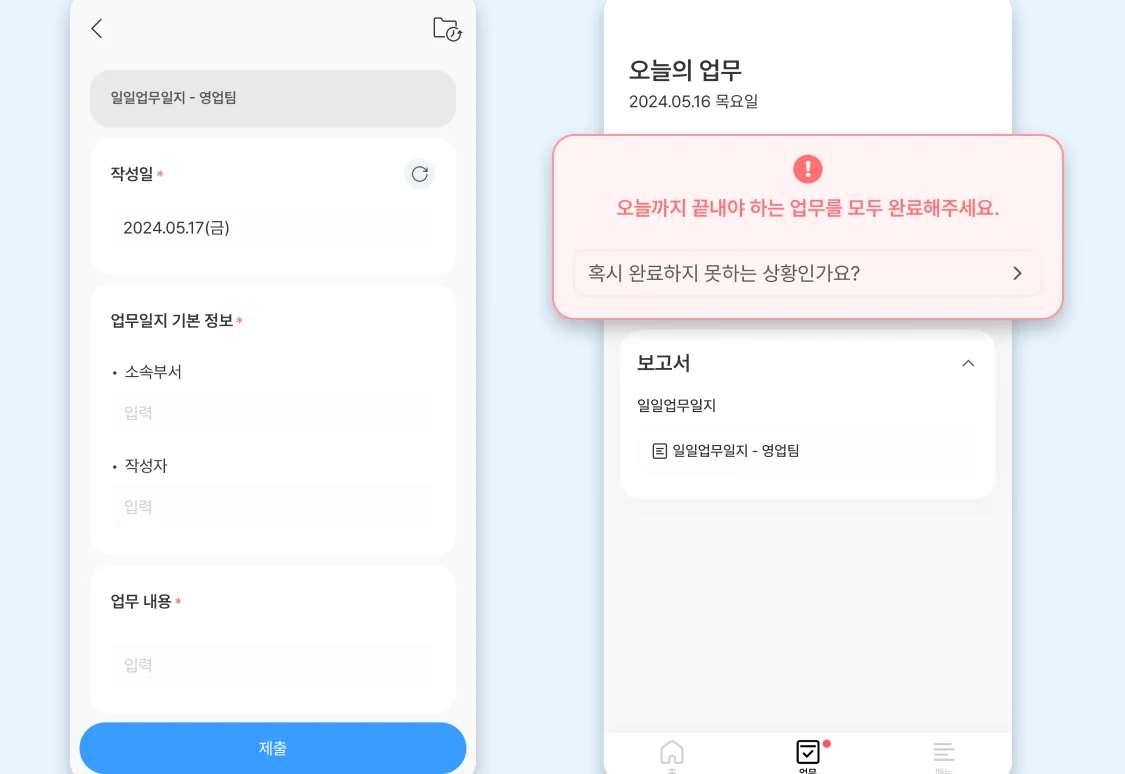
I once managed a 14-person operations team using a "free" Google Sheets daily work log template. It was a disaster. Not because the sheet was poorly designed, but because I spent 45 minutes every evening chasing people to fill it out. In the SaaS world, we often mistake a document for a process. A static template is just a digital piece of paper; it doesn't remind, it doesn't verify, and it certainly doesn't analyze data. After evaluating over 50 tools, I've learned that the best daily work log is the one that actually gets completed without a manager hovering over a desk.
The Hidden Friction in Manual Daily Work Log Templates
Traditional manual templates fail because they lack automated triggers and real-time accessibility. When employees have to open a separate file at the end of an exhausting shift, the quality of reporting drops by roughly 40% compared to integrated mobile solutions.
Why Static Documents Kill Productivity
Static documents require manual entry and offer zero immediate feedback loops. Most teams lose about 18 minutes per employee daily just navigating between different reporting files and messaging apps to confirm task completion.
During my time as a PM, I noticed that when we used Excel, the "daily" logs were often filled out on Friday afternoons from memory. This leads to "hallucinated" data where every day looks suspiciously productive. A dedicated SaaS for daily work logs solves this by forcing entries in real-time. However, the downside is the subscription cost; while a sheet is free, a professional tool might cost $5 to $12 per user monthly. For a 20-person team, that is a $2,400 annual commitment that must be justified by time saved.
Comparing SaaS Solutions vs. Manual Templates

Choosing between a manual daily work log template and a dedicated SaaS depends on your team's scale and field requirements. For teams with more than 8 members, the administrative overhead of manual logs usually exceeds the cost of a software subscription.
| Feature Item | SaaS Solution (e.g., Shopl) | Manual Competitor (Excel/Docs) |
|---|---|---|
| Reporting Speed | Under 2 minutes via Mobile | 8-15 minutes via Desktop |
| Automatic Reminders | Push notifications included | Requires manual Slack/Email pings |
| Data Aggregation | Instant dashboarding | Manual copy-pasting required |
| Location Verification | GPS-based tagging | None (Honor system) |
The Real Cost of "Free" Solutions
The real cost of a free template includes the salary hours spent on manual data entry and the missed opportunities from delayed reporting. If a manager earning $40/hour spends 3 hours a week consolidating reports, the "free" template actually costs $6,240 per year.
In my software review experience, I've seen teams struggle with the "feature creep" of complex SaaS tools. Some tools offer 100+ customizable fields, which sounds great but actually paralyzes the user. I prefer platforms that allow you to toggle off unnecessary features. If your daily work log takes more than 3 minutes to fill out, your team will eventually stop using it correctly.
Core Benefits of Transitioning to Digital Work Logs

Digital work logs provide a centralized data stream that allows managers to identify bottlenecks before they become project-ending issues. By moving away from a daily work log template that lives in a silo, you enable cross-departmental transparency.
- Real-time status tracking and comment interaction: Managers can see progress as it happens and provide feedback immediately, reducing the need for long sync meetings.
- Reduced time for data management and report generation: Automated systems can cut the time spent on weekly reporting by up to 75% by pulling data directly from daily logs.
- Reliability for field work via GPS: For teams working across multiple sites, GPS verification ensures that the log was actually completed at the designated work location.
Daily work logs should be easily completed via smartphone to prevent omission. This mobile-first approach is the only way to ensure 100% compliance in fast-moving environments. — Based on insights from Shoplworks [1]
Implementation Challenges to Watch For
The biggest hurdle in moving to a subscription service is employee pushback regarding "surveillance." When you introduce GPS or time-stamping, it is crucial to frame it as a tool for safety and proof of work rather than a tool for micromanagement.
One negative I've encountered with SaaS reporting is the "notification fatigue." If a tool pings an employee every hour, they will eventually mute the app. I recommend setting only one "hard" reminder 30 minutes before the shift ends. This maintains the habit without the annoyance.
Final Verdict: Is a SaaS Tool Worth It?
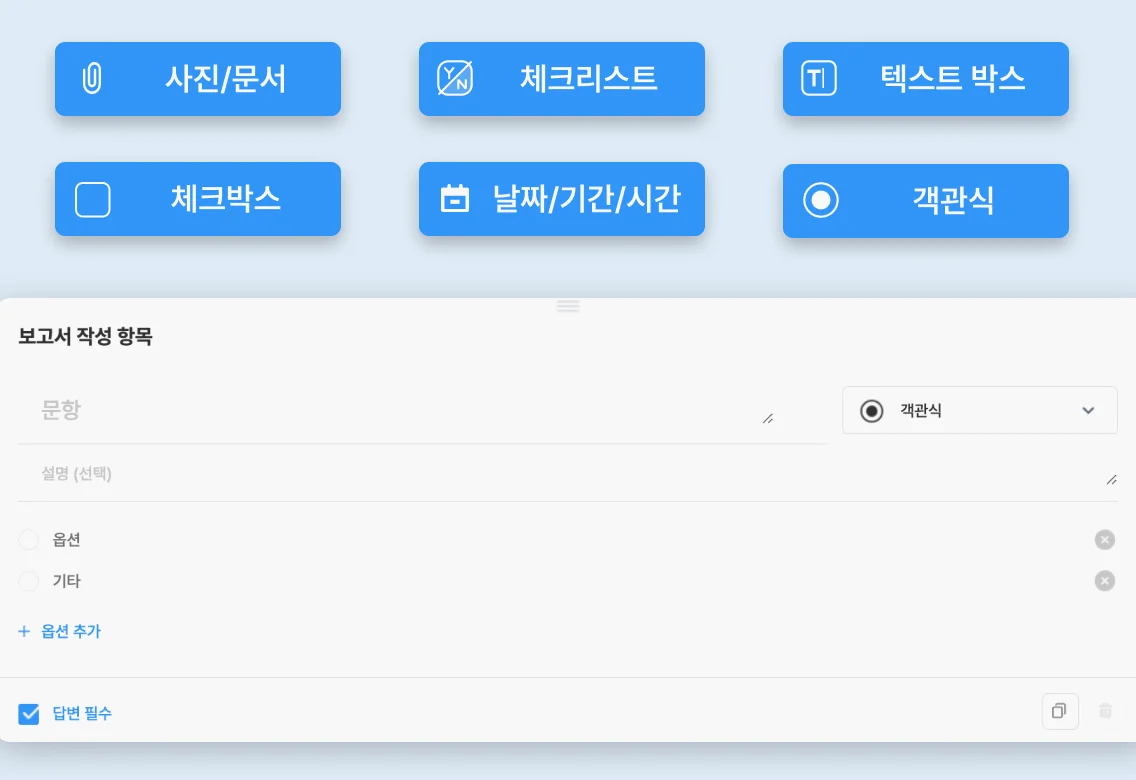
If you have a team of 5 or fewer, stick to a simple daily work log template in Notion or a shared Doc. The overhead of a new tool isn't worth it yet. However, once you hit 10+ employees, especially if they are remote or in the field, a dedicated SaaS is no longer optional—it's a necessity for data integrity. The $10/month per user is a small price to pay for knowing exactly where your labor budget is going every single day.